Primavera P6 Was Built for Another Century
Disclosure: we build ScheduleChat, a tool in this space. Read this as an argument about architecture, not a product review.
Primavera P6 is not bad software. Its scheduling engine is one of the most capable ever shipped, and on a complex programme there are things it does that newer tools still can't. If you run P6 well, this post is not about your competence.
It is about the century P6 was designed for.
The world P6 was built for
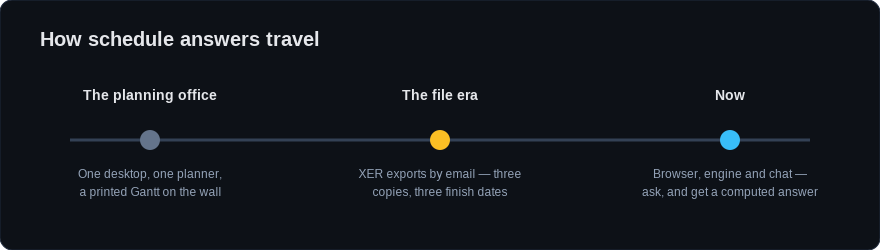
P6's centre of gravity is a desktop Windows client, a central database administered by IT, and a planning office that issues the schedule on a cycle. Stakeholders receive exports — PDFs, spreadsheets, an XER file if they're lucky. Questions about the schedule travel back to the planner, who opens the file, finds the answer, and replies. Days pass.
That workflow made sense when a schedule lived on one machine and "distribution" meant a printed Gantt chart on a site-office wall. It is simply not how anyone else works anymore. Every other artefact on a project — drawings, documents, correspondence, cost — is now a link you open in a browser, searchable, current, answerable by anyone with permission.
The schedule is the last major project document still locked inside a specialist's desktop application.
The file is the bottleneck
The XER format tells the story. A schedule leaves P6 as a tab-delimited text export, travels by email or shared drive, and is imported somewhere else — where it may or may not match the sender's version, calendar settings or options. Ask three people on a project for "the schedule" and you can receive three different files with three different dates, each honestly believed to be current.
We know, because tools like ours spend half their engineering life reconciling exactly that: versions, baselines, and which file said what, when.
A format designed for interchange between identical desktop installs was never meant to be the project's public interface. It became it by default.
The questions changed, too
The questions stakeholders ask a schedule have changed shape. Nobody under forty expects to wait two days for "what's driving the finish date?" or "what happens if this delivery slips three weeks?" They expect to ask, in plain words, and get an answer they can check — the way they now ask everything else.
A desktop client cannot meet that expectation, no matter how good its engine is. The answer is inside the file, the file is inside the application, and the application is on the planner's machine. Oracle's own answer to this, the EPPM web client, is a heavyweight enterprise deployment — real, but a project in itself, which is why so many teams still run the desktop workflow in practice.
What the next century of scheduling looks like
Not a bigger desktop application. Three shifts, all already visible:
- The schedule as data, not a document. Stored once, versioned, queryable — every answer traceable to the same current network, not to whichever export someone attached last month.
- The engine without the ceremony. Critical path, float and schedule-health checks computed continuously and stated in plain language, instead of living behind a specialist's F9 key.
- Asking instead of opening. A chat over the real network — where the AI handles the conversation and an actual scheduling engine produces every number, so the answer is computed, not predicted.
P6 will be on major programmes for years; engines that good don't disappear, and the planners who run them are not the problem. But the centre of gravity has already moved — to the browser, to shared data, to answers on demand. The only question for a project team is whether their schedule moves with it, or stays in the desktop era, glowing red, on one person's machine.
ScheduleChat is opening to planners in small batches. Join the waitlist and we'll email you when your spot is ready.